Billing software for cafés
Quick counter bills with sizes and add-ons, a UPI QR on every bill, and reports that show what sells.
Made for cafés
A café counter is all about speed: a coffee, a sandwich, a shake, paid by UPI, in under a minute. DeviPOS is café billing software made for exactly that, with sizes, add-ons and a UPI QR for the exact amount on every bill.
It runs on a normal Windows PC or laptop, or an Android tablet at the counter, and prints on your 80 mm or 58 mm thermal printer. Reports show your best sellers and busy hours, so you plan stock and staff better.
Sizes and add-ons
Regular / Large, extra cheese, extra shot. Each with its own price.
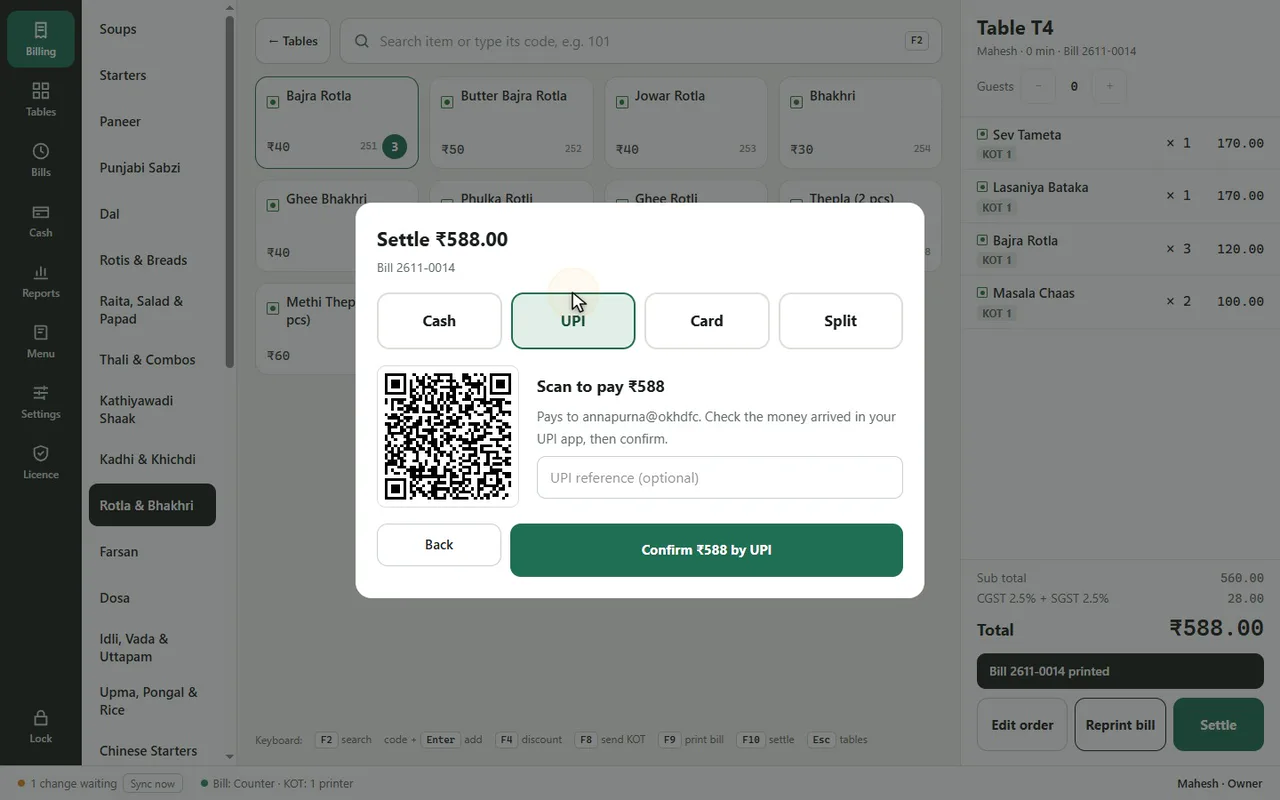
UPI QR for the exact amount
The customer scans and pays. No typing the total.
What sells, when
Sales by item and by hour, exported to Excel.
What changes at your counter
Every drink has three sizes
Set Regular / Large or Small / Medium / Large once, each with its own price. The cashier taps the size and it is on the bill.
Extras get forgotten on the bill
Extra shot, extra cheese, whipped cream: add-ons with prices make sure every extra is charged.
Customers wait while the total is typed into UPI
The UPI QR on the screen or bill already has the exact amount. They scan and pay.
Guessing what sells
Sales by item and by hour show your best sellers and when to keep an extra person at the counter.
Pay by UPI in one scan
Show the QR on your screen or print it on the bill. Cash, card and split work too.
- Takeaway orders with their own numbers
- Packing charge added for takeaway
- Staff sign in with their own PIN
From opening to closing
Morning
Sign in with your PIN and set the opening cash.
Counter
Tap items, pick sizes and add-ons, and print the bill with a UPI QR.
Takeaway
Takeaway orders get their own number and an optional packing charge.
Evening
Check today’s sales by item and hour, export to Excel if you want.
Café favourites in the ready menu
Tick them, set your prices, add your own specials.
Common questions
Can I add my own drinks and sizes?
Yes. Add any item with sizes and add-ons in the Menu screen.
Do I need a big screen?
No. DeviPOS works on a normal Windows PC or laptop, and on an Android tablet or phone.
Can I use a tablet instead of a PC?
Yes. DeviPOS runs on Android tablets with a Bluetooth or Wi-Fi thermal printer.
Can I give a discount to regular customers?
Yes, percent or flat with a reason. Cashiers can give up to 10%; more needs a manager PIN.
Can staff see the reports?
No. Only the owner and manager see reports; cashiers and waiters do not.
Do you charge per bill?
No. One licence includes unlimited bills, all features, updates and cloud backup.
DeviPOS for other food businesses
See DeviPOS on your own menu
A free demo at your restaurant or on a video call. You can be billing the same day.