Billing software for takeaway and quick service
Order numbers, packing charges, KOT to the kitchen and keyboard shortcuts for the rush.
Made for takeaway and qsr
Quick service and takeaway counters live on speed: take the order, send it to the kitchen, call the number when it is ready. DeviPOS is QSR billing software built for that flow, with order numbers, KOT to the kitchen, packing charges and keyboard shortcuts.
Delivery orders keep the customer’s name, phone and address; type the phone number next time and the details fill in. Every bill has a UPI QR for the exact amount.
Order numbers
Each takeaway gets a number to call out when it is ready.
Packing and delivery charges
Added automatically for takeaway and delivery orders.
Customer phone lookup
Type the phone number to fill the name and address.
What changes at your counter
Which order is ready?
Each takeaway gets an order number to call out, printed on the bill and the KOT.
Packing costs not charged
Packing and delivery charges are added automatically to takeaway and delivery orders.
Typing addresses again and again
Customer lookup by phone fills in the name and address for repeat customers.
Rush hour at the counter
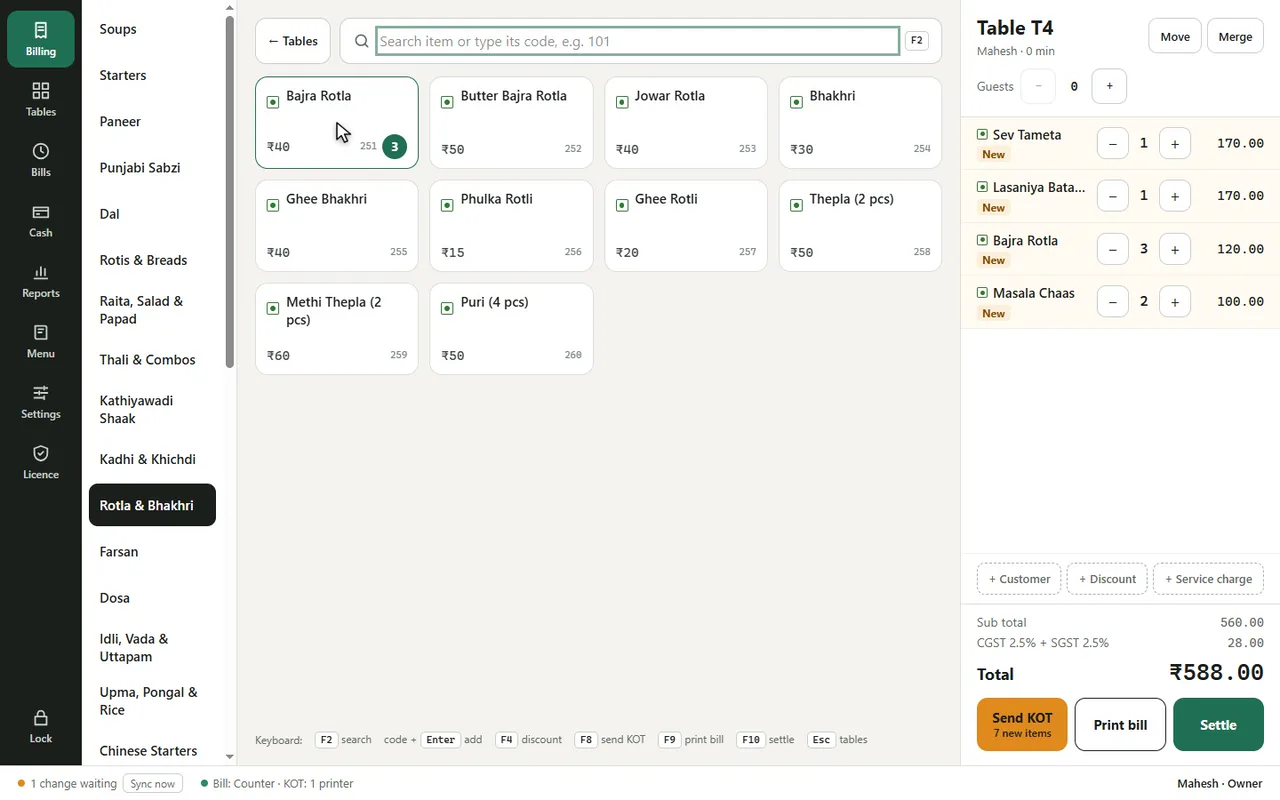
F2 search, item code and Enter, F8 send KOT, F10 settle.
Every order in a few keys
F2 to search, the item code and Enter, F8 to send the KOT, F10 to settle.
- Delivery orders with address
- KOT on the kitchen printer
- UPI QR on the bill
From opening to closing
Order
Type item codes or tap the menu; add notes like “less spicy”.
Kitchen
Send the KOT; the kitchen printer prints it with the order number.
Pay
Print the bill with a UPI QR, settle by cash, UPI, card or split.
Report
See sales by item, hour and staff at the end of the day.
Fast food already in the list
Burgers, frankies, pav bhaji, pizza and more.
Common questions
Do you connect to Swiggy or Zomato?
Not yet. Staff type aggregator orders by hand today.
Can I take delivery orders?
Yes, with customer name, phone and address, and a delivery charge.
Can I record Swiggy and Zomato orders?
Today staff type them in by hand as takeaway or delivery orders. A direct connection is not available yet.
Can I take phone orders for delivery?
Yes, with customer name, phone, address and a delivery charge.
Do order numbers restart every day?
Yes. Takeaway and delivery order numbers start again each day, and each device has its own series (for example 12 and B12).
Can I print the KOT and bill on different printers?
Yes. Set one printer for bills and one for KOTs.
DeviPOS for other food businesses
See DeviPOS on your own menu
A free demo at your restaurant or on a video call. You can be billing the same day.